Contents - Index - Previous - Next
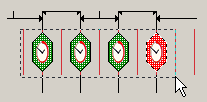 Left mouse button down in the workspace and drag the cursor until the desired timers intersect the selection rectangle as in the image to the left, release the mouse button. When the mouse is released, if they are selected they'll look like this
 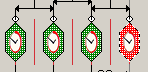 with the small white circle at the top.