Contents
- Index
Help Menu
Contents: Opens up the application help file.
Support>Web site: Takes you to the TikTokToDo web site.
>Email: Opens up your mail program with the appropriate 'to' address entered.
Purchase: Takes you too an order page on the web site.
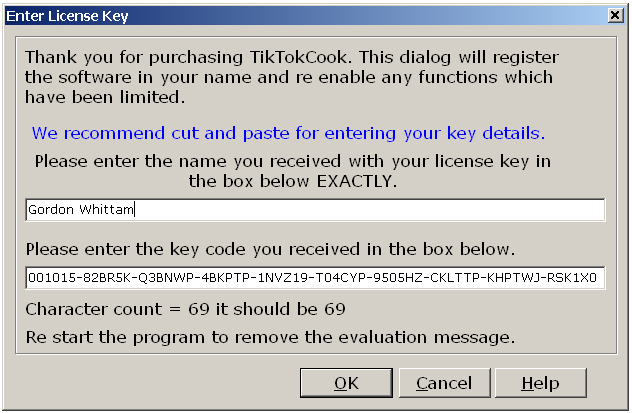
Enter license key: Brings up a dialog whereby you can enter a valid license name and key pair. Please take care when entering these details as they need to be exact. When you purchase a license you will receive an email with details that look something like (these are dummy key/name pairs):
Name: Gordon Whittam
Key: 001015-82BR5K-Q3BNWP-4BKPTP-1NVZ19-T04CYP-9505HZ-CKLTTP-KHPTWJ-RSK1X0
It is critically important to enter these details (the part after the colon (:)) exactly as they appear in your email receipt. The 'Key' part may wrap, that is it may break and be on two lines due to the behavior of your email program. It will be fairly obvious if it does so please make sure you get the whole string of characters and that they are on one line when pasted to the clipboard.
The license dialog should look something like this except the name and key will of course be your own personal ones received in your email receipt:
Show tips: Opens up the tips dialog.
About: Displays details of the program version, author, company and other contact details.
Copyright© 2004:2006 Gordon